How do I save a list of people for my campaigns?
Go to Marketing › Lists, click New list, pick tags or people. Then pick it in a campaign under A saved list. Lists by tags update on their own.
Make the list once in Lists, then pick it in any campaign. A list by tags, kind or language is Dynamic: it updates on its own, so a new customer or someone you tag joins it for the next campaign.
Also called: mailing list, dynamic list, segment, audience, saved list, contact list, liste d'envoi, liste dynamique, segment, auditoire
Step 1: Open Lists
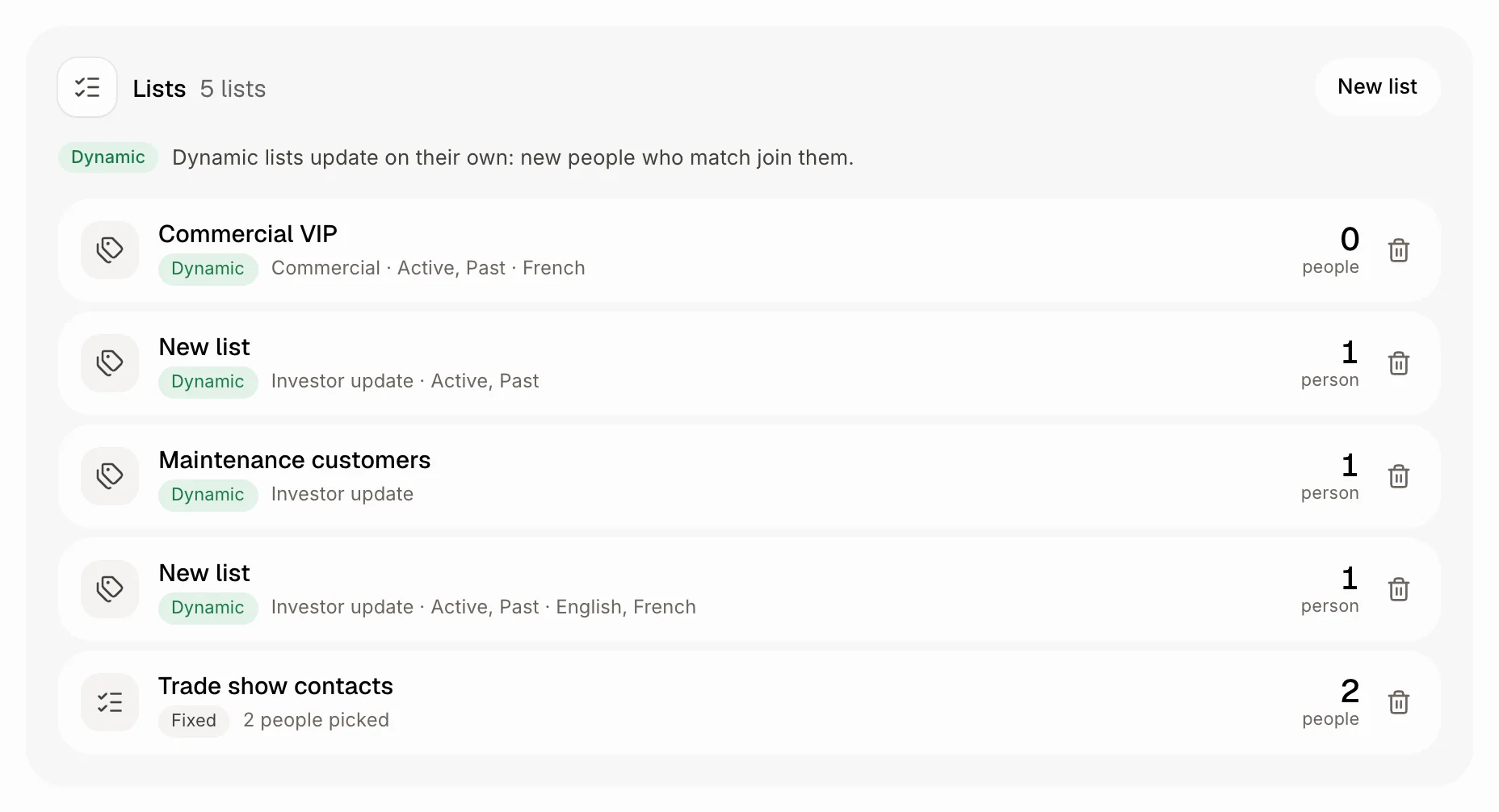
Click Lists in the left menu, under Marketing. You see each list, whether it is Dynamic or Fixed, who is in it and how many people it reaches right now. Click New list. To delete a list, click the bin at the end of its row.
Click: Lists › New list
Step 2: Say who is in it
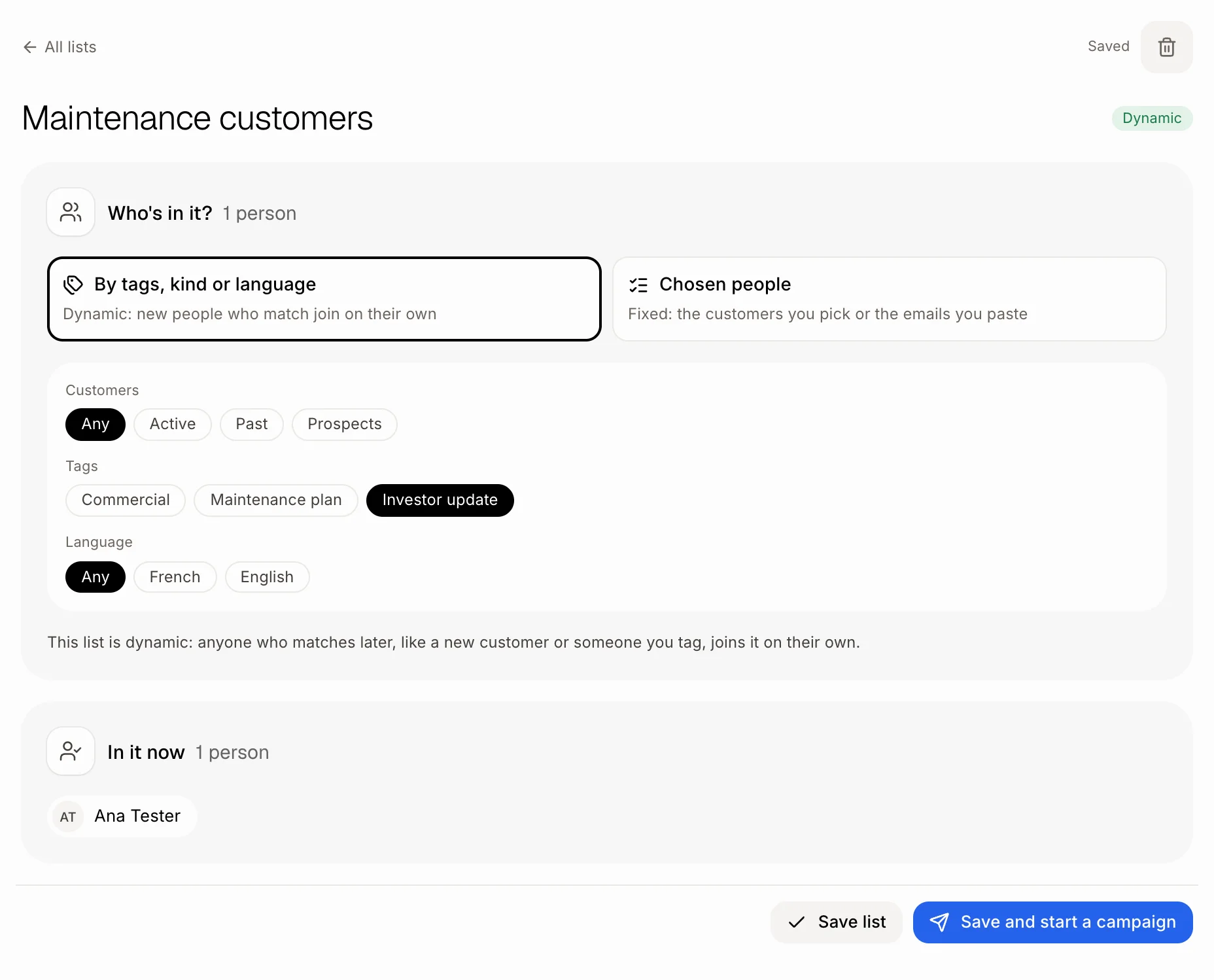
Type a name at the top. Then pick one:
By tags, kind or language: pick Customers (Any, Active, Past, Prospects), Tags or a Language (Any, French, English). In it now shows who matches today. This list follows your customers as they change.
Chosen people: search your customers or paste a list of emails. This list stays as you made it.
It saves as you go. Click Save list when you're done, or Save and start a campaign to send it something right away.
Click: a name › Tags › Save list
Step 3: Use it in a campaign
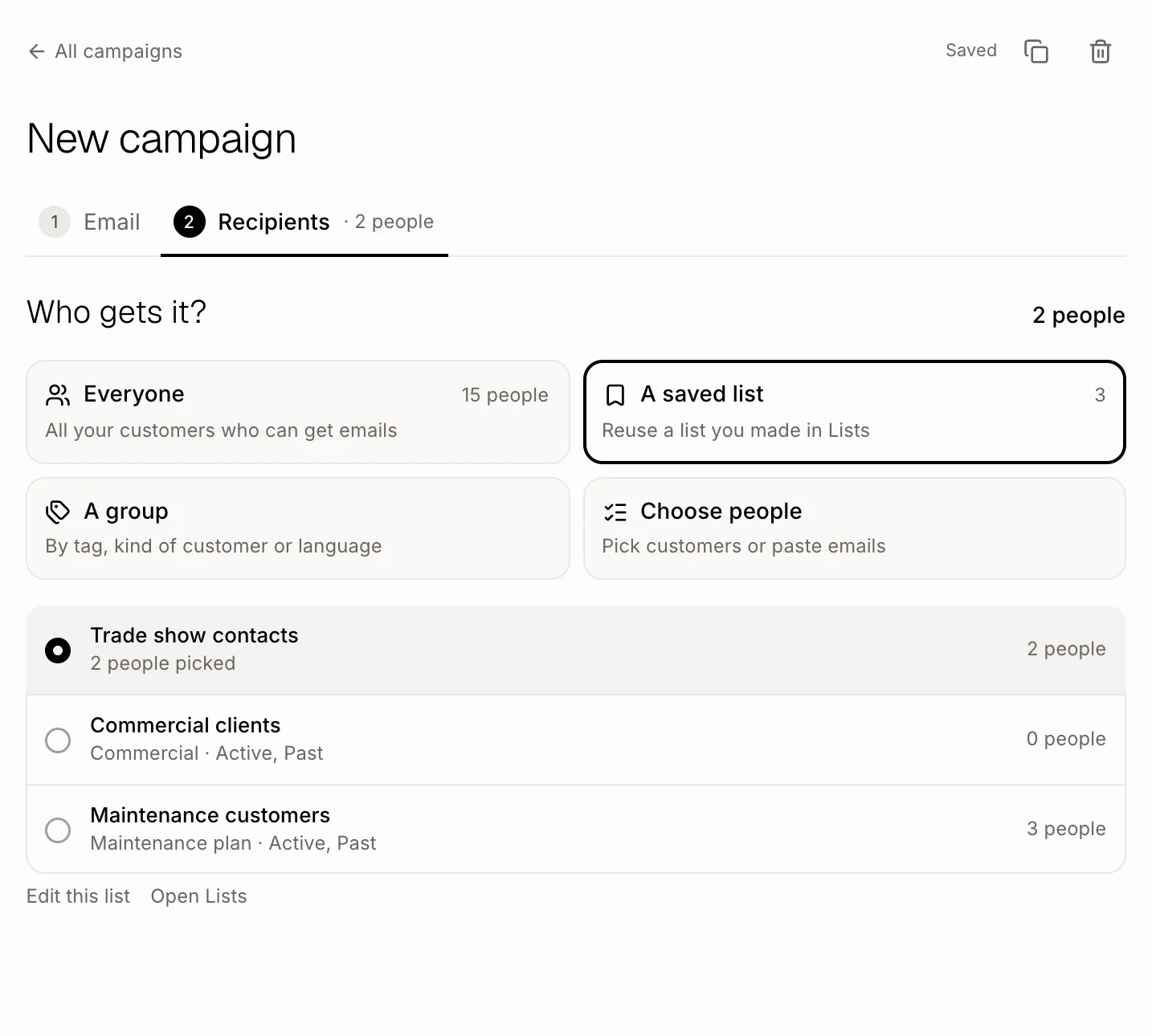
In a campaign, on step 2 Recipients, click A saved list and pick your list. Who gets it is read from the list when the campaign goes out.
You can also save as you go: pick A group or Choose people in a campaign, click Save as a list, type a name and click Save. Or ask Alori: "make a list called VIP with everyone tagged VIP".
Click: Recipients › A saved list › your list
Good to know
People without an email, or who unsubscribed, are always left out, even when they are in a list.
Changing a list doesn't change campaigns already sent.
Deleting a list sends its drafts back to Everyone.
If it doesn't work
"No lists yet." Click New list in Lists, or Save as a list in a campaign.
"A scheduled campaign uses this list. Change it or unschedule it first." Open that campaign and pick other people, or unschedule it, then delete the list.
No Lists in the menu. Lists come with Campaigns, for people who can change settings. Ask the owner.