How do unsubscribes and consent work in campaigns?
Every campaign has an unsubscribe link. People who unsubscribe, bounce or mark it as spam are left out of every campaign after. You see it on their record.
Every campaign ends with your business name, your mailing address and an Unsubscribe link, as Canada's anti-spam law (CASL) and CAN-SPAM require. Someone who unsubscribes, whose email bounces, or who marks a campaign as spam is left out of every campaign after that. Your one-to-one emails still reach them.
Also called: unsubscribe, opt out, consent, CASL, LCAP, anti-spam, désabonnement, consentement, loi anti-pourriel
Step 1: See or change it on the customer's record
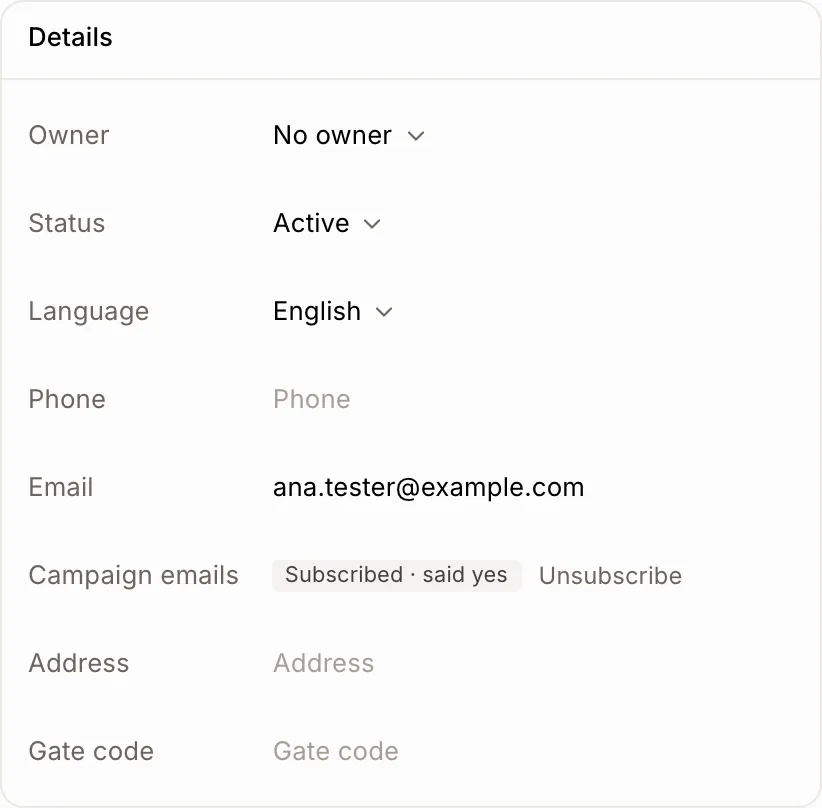
Open the customer. Under Details, Campaign emails says Subscribed or Unsubscribed, and why you may write to them: customer (they bought from you) or said yes. Click Unsubscribe when someone asks you to stop. Click Subscribe again only if they asked to get your emails again: the law needs their consent.
Click: Customers › the customer › Campaign emails › Unsubscribe
Step 2: What your customers see
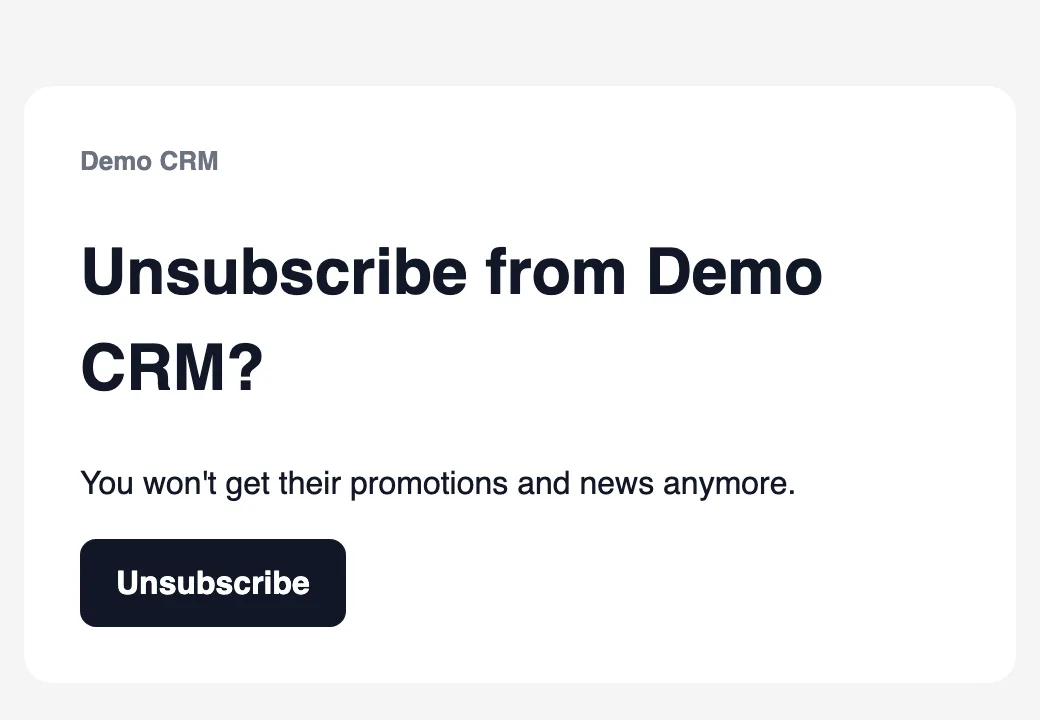
The Unsubscribe link opens this page, in the customer's language. One click takes them off your campaigns, and they can subscribe again from the same page. Mail apps like Gmail also show their own unsubscribe button, which works the same way.
If it doesn't work
Add your mailing address: the law requires it in every campaign.: on a campaign, click Change next to From and fill in Mailing address.
This link doesn't work anymore.: the link is from a campaign that was deleted, or it was copied wrong.