How do I import what ChatGPT or Claude knows about my business?
In Import data, click Start on Claude or ChatGPT, send it the question Alori writes for you, paste its answer, then click Add to memory.
Open Import data, click Start on Claude or ChatGPT, and send it the question Alori has already written. Then paste its answer back and click Add to memory. Everything it knew about your business (services, prices, policies, suppliers, team) goes into Company memory, where Alori and your team's assistant use it.
Also called: import memory, ChatGPT memory, Claude memory, AI memory, importer la mémoire, mémoire de ChatGPT, mémoire de Claude
Step 1: Pick Claude or ChatGPT
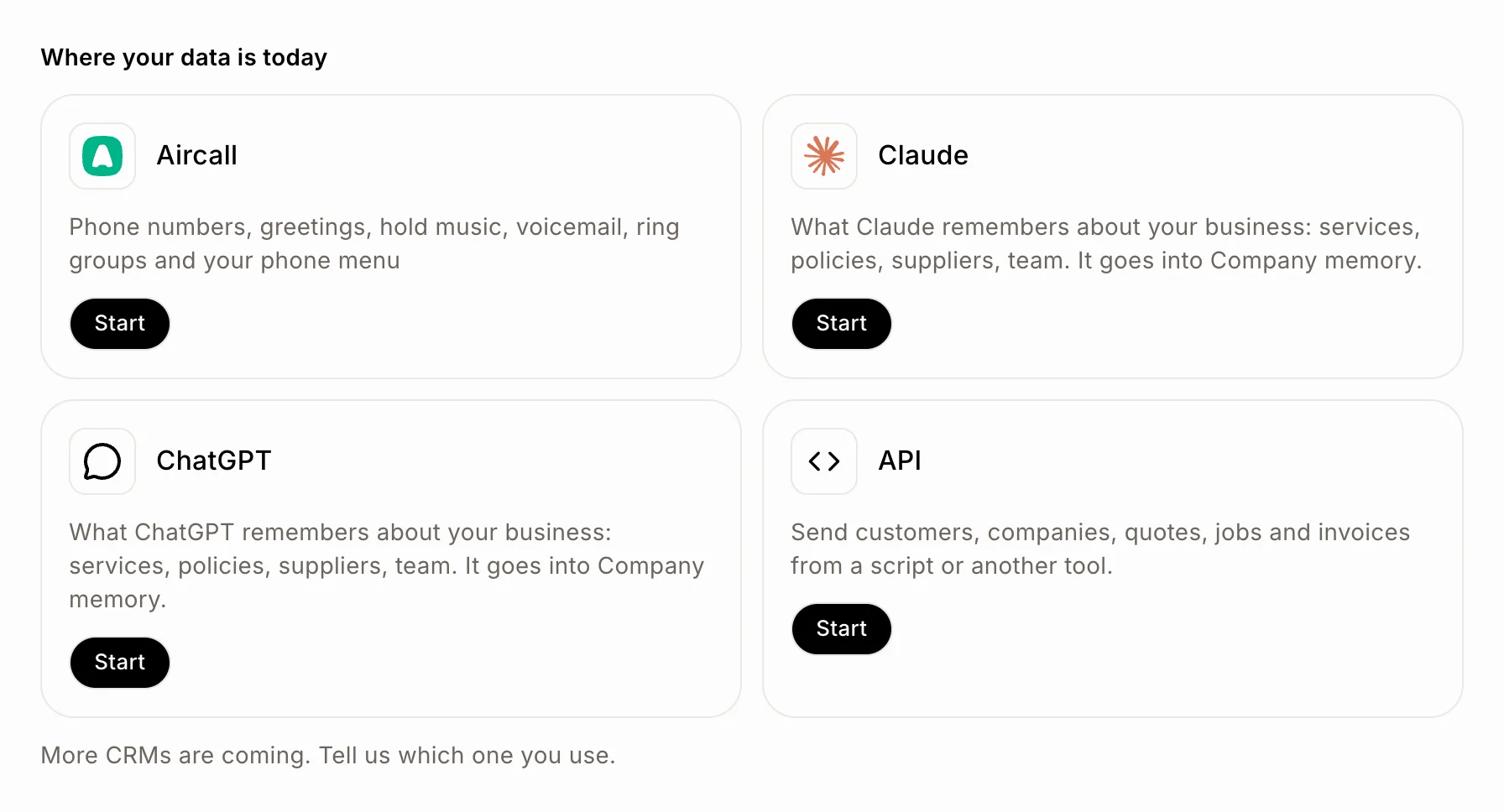
In the side menu, click Import data. Under Where your data is today, click Start on Claude or ChatGPT, whichever you use for your business. You can also start from Company memory: click Import from Claude or Import from ChatGPT at the top.
Click: Import data › Start
Step 2: Ask Claude or ChatGPT
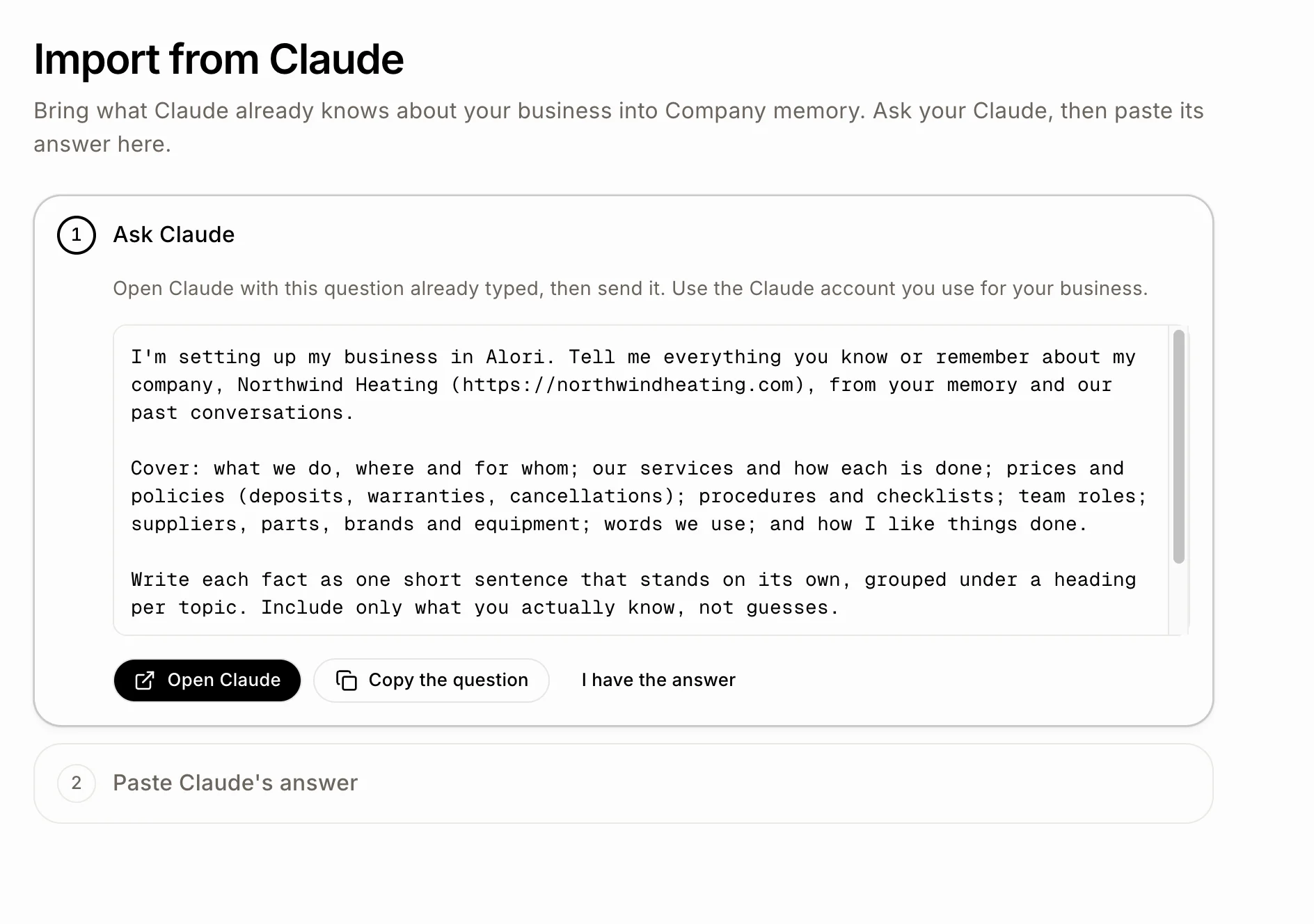
The page Import from Claude (or Import from ChatGPT) shows a question Alori wrote for you, with your company's name in it. It asks for what your AI knows about your business, one short fact per line, and to leave out passwords, door or alarm codes, card numbers and anything about one customer. Click Open Claude (or Open ChatGPT): it opens with the question already typed. Use the account you use for your business, and send it. Prefer to paste it yourself? Click Copy the question.
Click: Open Claude › send the question in Claude
Step 3: Paste the answer
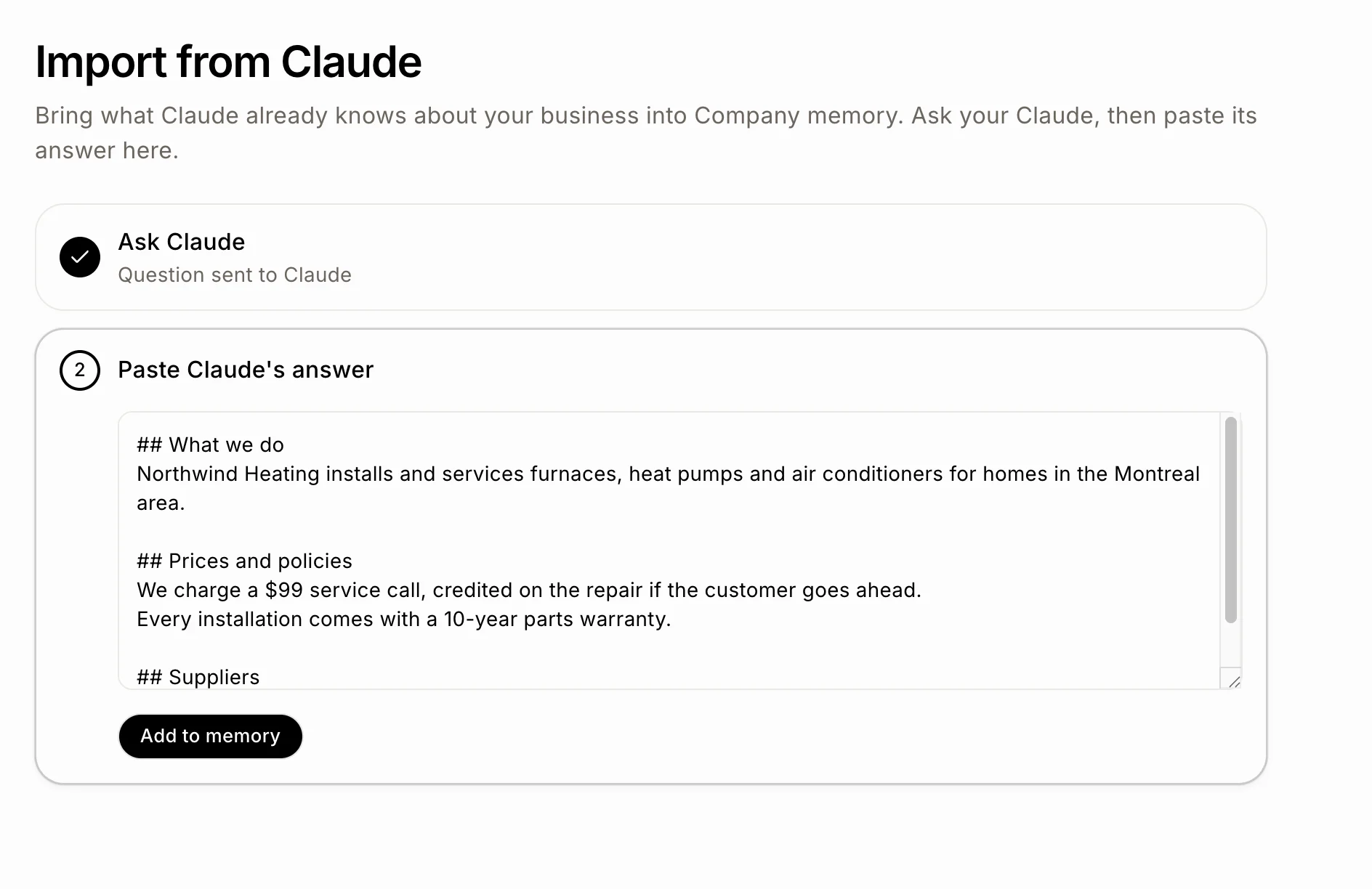
When the answer is ready, copy all of it. Back in Alori, click I have the answer if the box isn't open yet, and paste it in Paste Claude's answer. Headings and lists keep their shape. Then click Add to memory.
Click: I have the answer › Add to memory
Step 4: See the facts in Company memory
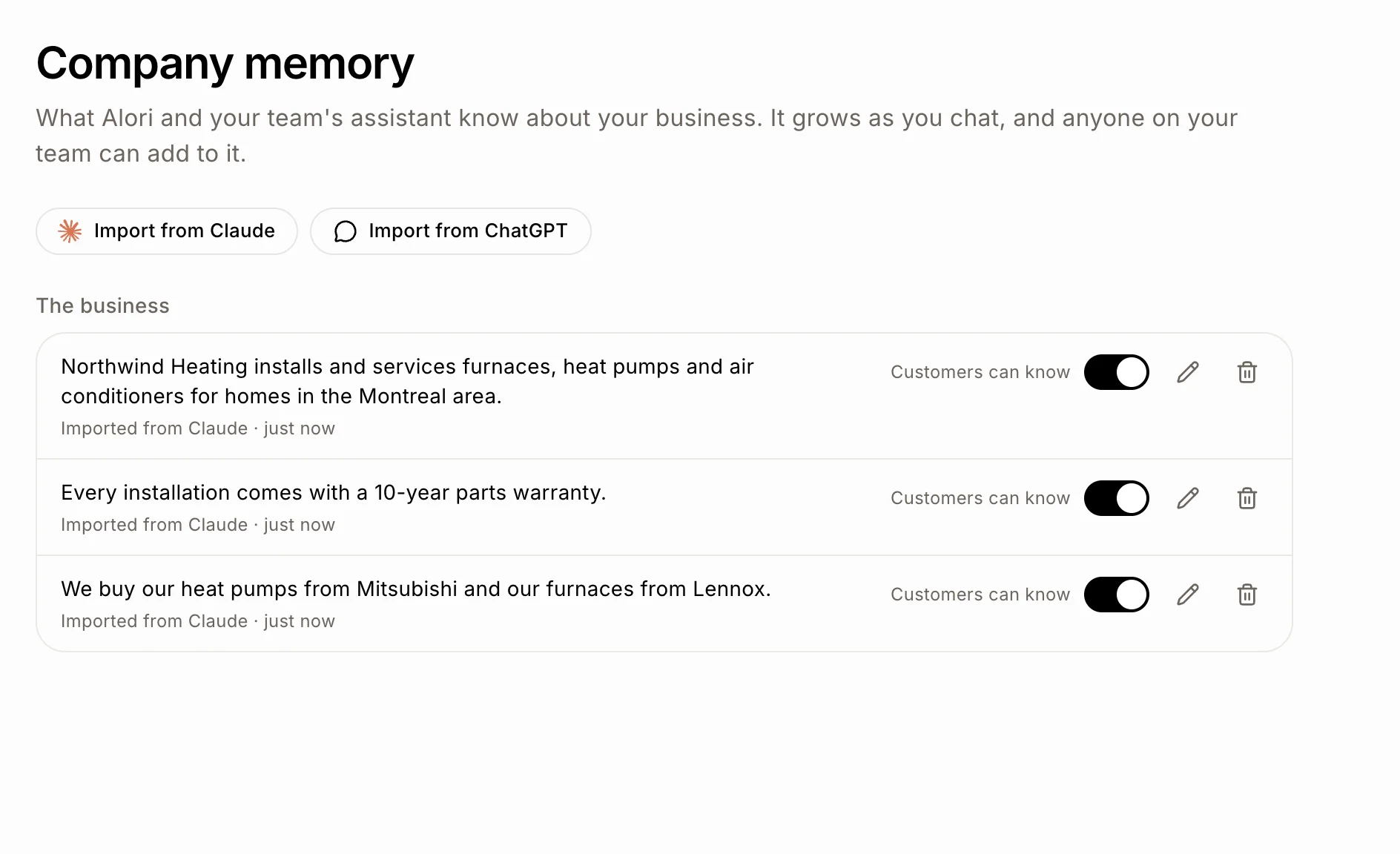
Alori takes you to Company memory and says "Adding the facts to your memory." The new facts show up in a minute or two, sorted by topic, each one marked Imported from Claude (or Imported from ChatGPT). Fix a fact with the pencil, remove one with the bin, and switch Customers can know off for anything your customers shouldn't hear.
Click: Company memory
Good to know
Importing is free: it uses no credits.
Facts Alori already knows aren't added twice. A newer fact can replace an older one it contradicts.
Do it again any time from Company memory, for example with the other assistant.
A very long answer is cut: "This answer is too long, so only the first part was kept." Add it, then come back and paste the rest.
If it doesn't work
The Add to memory button stays grey. The answer is too short. Paste the whole answer.
"That didn't work. Try again." Click Add to memory again.
Claude or ChatGPT says it doesn't know your business. Its memory is empty in that account. Try the account you use for work, or tell Alori about your business in Company memory with Add a fact.