How does the bot screen job applicants?
When someone applies and accepts texts, Alori's bot texts them the opening's questions, one at a time, then gives you a fit from 1 to 5 and one line on why.
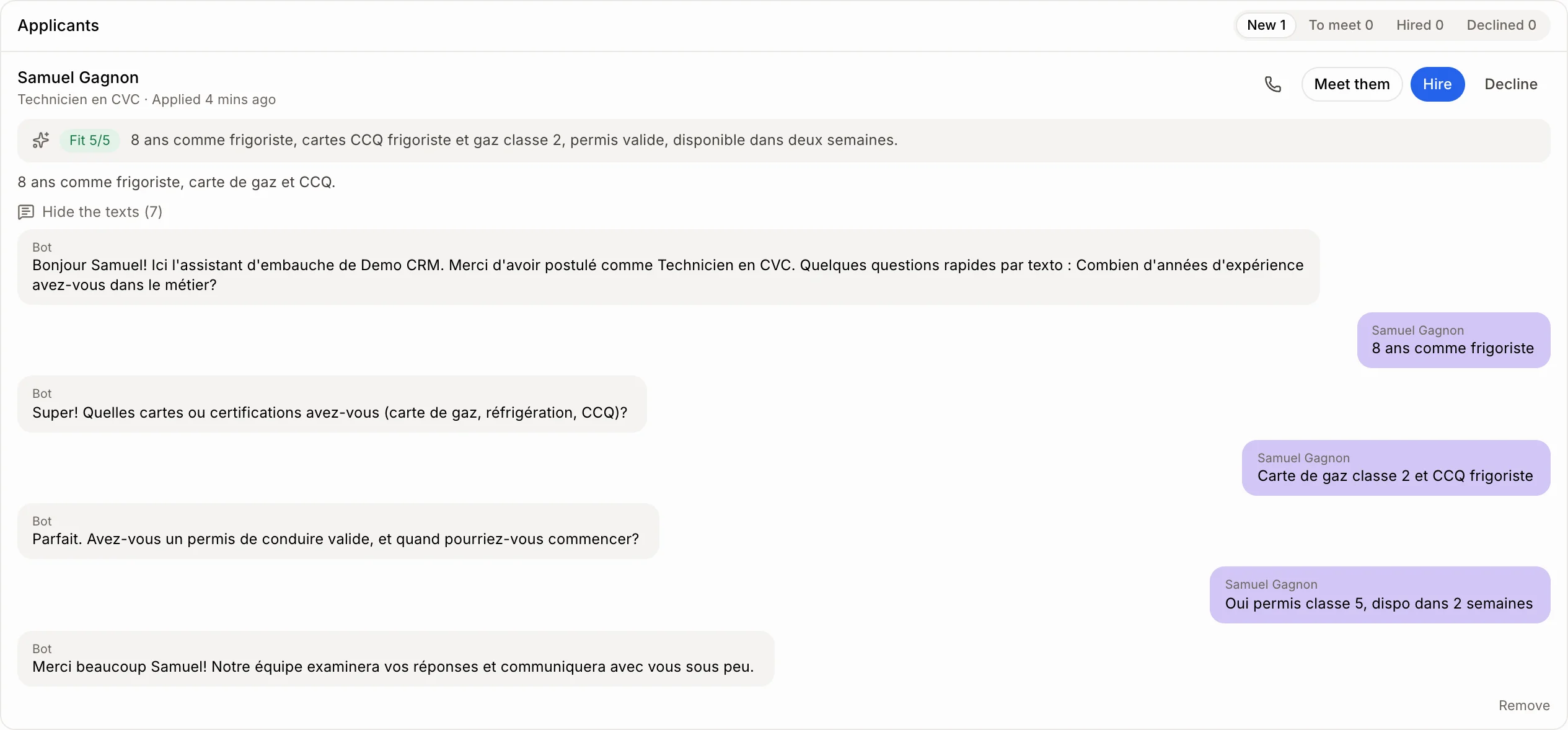
When someone applies with a phone number and ticks the text message box, Alori's bot texts them right away from your business number. It asks the opening's questions one at a time, then thanks them and gives you a Fit from 1 to 5 with one line on why. You see it on their card under Employees › Hiring.
Also called: screening, pre-screening, candidate texting, AI recruiter, présélection, textos aux candidats
Step 1: Choose the questions
Open Employees › Hiring and click Edit on the opening. Under Questions the bot texts each applicant, keep the usual ones (experience, cards, licence and start date) or write your own. Up to 5, one per text.
Step 2: Read the verdict
Each applicant's card shows Fit 1/5 to Fit 5/5 and a one-line summary. Click See the texts to read the whole conversation.
Good to know
The bot only texts people who ticked the text message box and gave a phone number. Others show "Not texted".
Their answers stay on their application. They don't show up in Conversations.
If they reply STOP, the bot stops.
The bot never promises a job, a wage or a date, and never asks for a social insurance number or an ID.
Each text uses credits, like any text from your business number.
If it doesn't work
"The bot couldn't text them: your business has no texting number yet." Set up your business number first. Then call or email them yourself.
"The bot couldn't text them: no credits left." Add credits.
It stays on "The bot is texting them". They haven't answered yet.