How do I hire through my website?
Add an opening under Employees › Hiring. It shows on your career page at once. Applicants land there; click Hire and their employee file and first-day list start.
Go to Employees › Hiring and click Add an opening. It shows on your website's career page right away. People apply there, and each application lands on the Hiring tab. Click Hire and Alori makes their employee file and starts their first-day list.
Also called: recruiting, job posting, job ad, careers page, applicants, embauche, recrutement, offre d'emploi, page carrières, candidats
Step 1: Add an opening
Go to Employees › Hiring and click Add an opening. Type the job title. Add the pay and a few words about the job if you like, then click Publish the opening. Alori adds the usual screening questions; click Edit on the opening to change them.
Click: Employees › Hiring › Add an opening › Publish the opening

Step 2: Share your career page
Your career page shows its address at the top of Hiring. Click Copy the link and share it: on Facebook, on Indeed, in a text. People pick the job, fill in their name and phone or email, and click Apply.
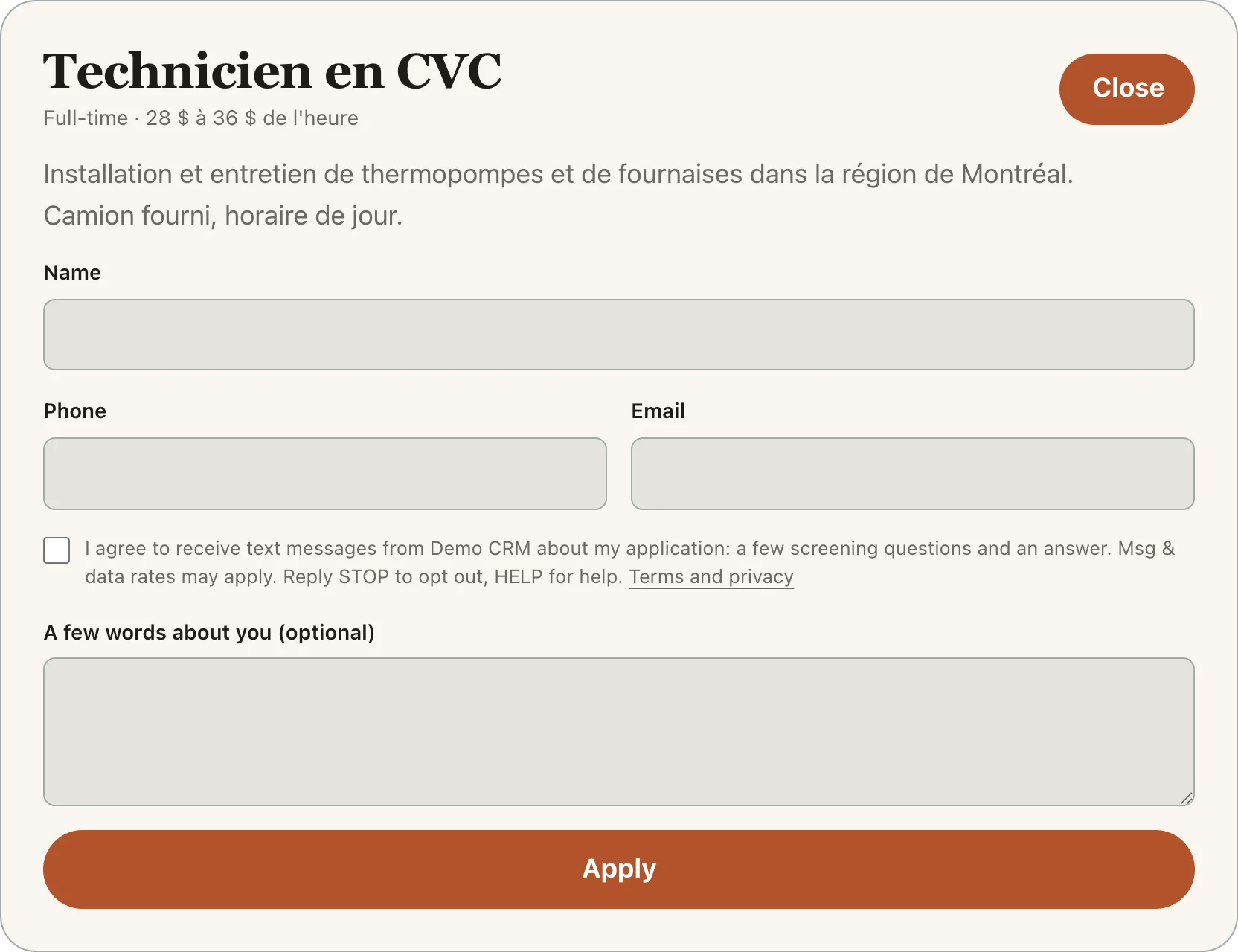
Step 3: Meet, hire or decline
Each applicant shows up under Applicants, with the bot's verdict once it texted them. Click Meet them to keep them for an interview, Decline to set them aside, or Hire. Hiring makes their employee file, hired today, with their First day list started. Click Open their file to continue.
Good to know
You get a notification for each new applicant, and another when the bot is done with them.
Close it takes an opening off the career page. Its applicants stay.
You can ask Ask Alori: "Post an opening for an HVAC apprentice" or "Who applied this week?"
If it doesn't work
"This job isn't open anymore." The opening was closed. Click Open it on the Hiring tab.
"Too many applications right now." The career page takes a limited number of applications an hour. Try again later.