How do I track what conversations are about?
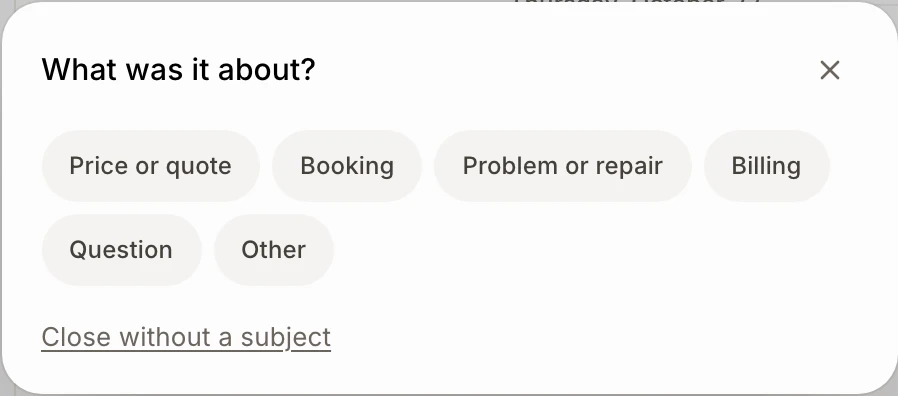
When you close a conversation, tap what it was about. Edit the subjects in Front desk › Settings and see the top ones in Front desk › KPIs.
When you close a conversation, Alori asks What was it about?. Tap a subject and the conversation closes. Front desk › KPIs then shows which subjects come up most, for chats, support emails, texts and calls.
Also called: tags, topics, categories, reasons, contact reasons, ticket types, sujets, motifs, catégories, raisons de contact
Step 1: Pick the subject when you close
In Conversations, click the check mark (Close the conversation) at the top of a thread. Tap one subject: the conversation closes right away. Nothing fits? Click Close without a subject.
Click: Conversations › Close the conversation › Billing
Step 2: Change the subjects
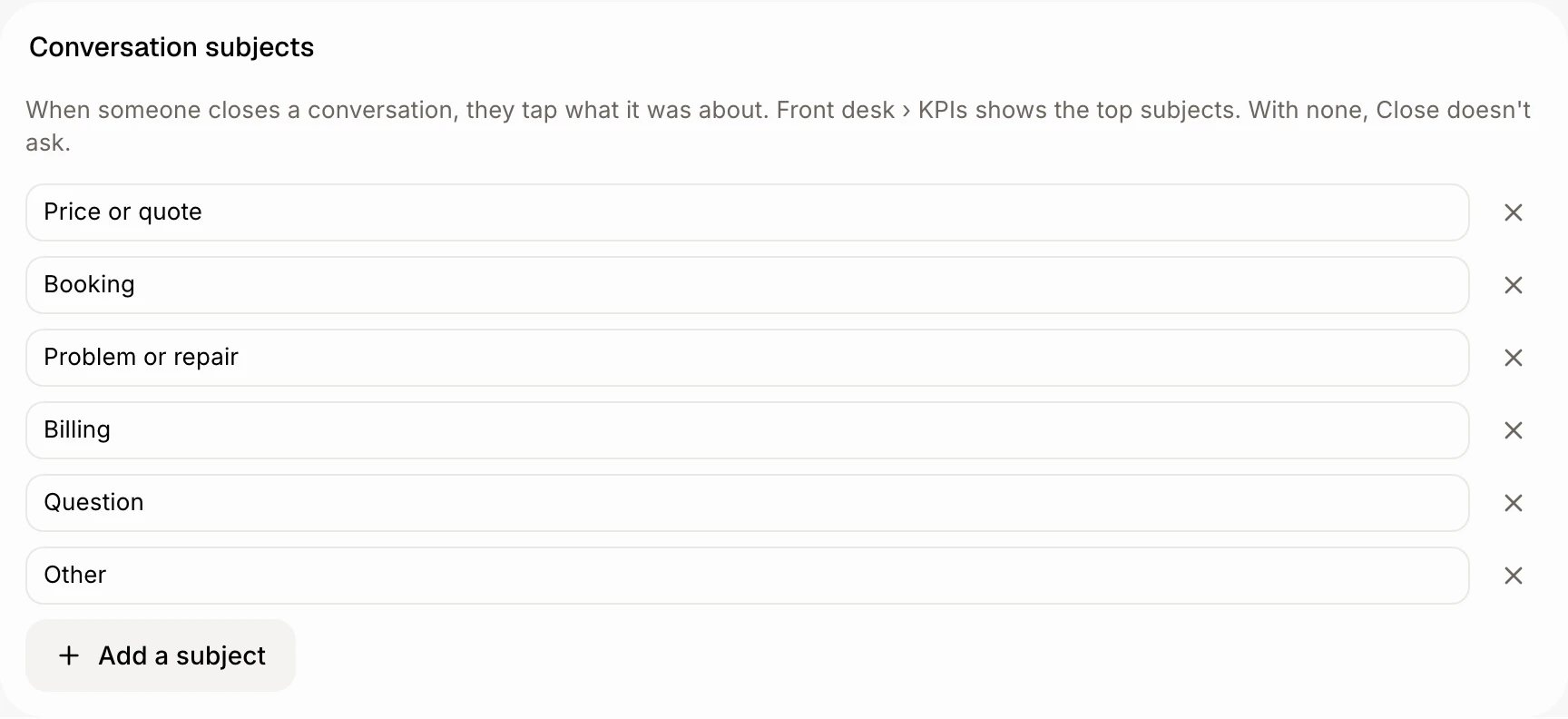
Your app starts with Price or quote, Booking, Problem or repair, Billing, Question and Other. To change them, open Front desk › Settings and go to Conversation subjects. Type in a field to rename one, click × to remove one, or Add a subject (12 at most). Changes save when you leave the field.
Remove them all and Close stops asking.
Click: Front desk › Settings › Conversation subjects › Add a subject
Step 3: See the top subjects
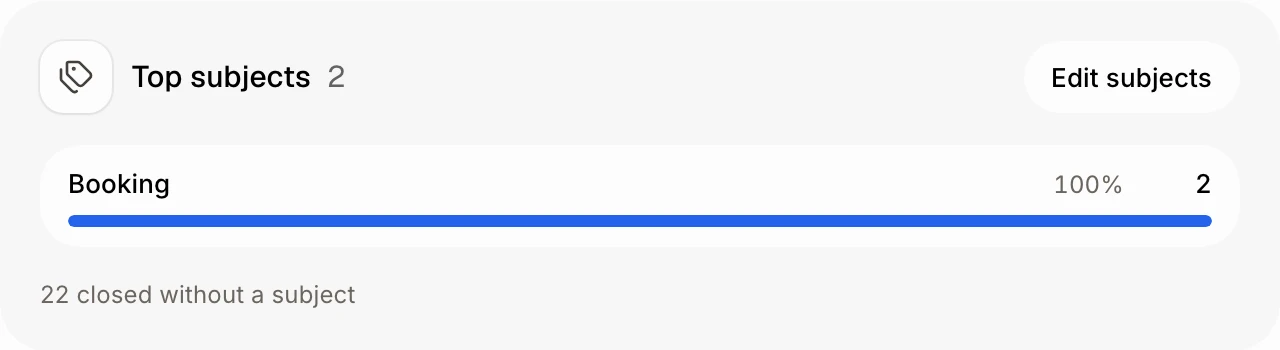
Open Front desk › KPIs. Top subjects lists the subjects of the conversations your team closed in the period, most first, with their share. Under it, how many were closed without a subject. Edit subjects takes you to the list.
Click: Front desk › KPIs › Top subjects
Good to know
Undo right after closing also forgets the subject. Reopening a conversation later keeps it in the numbers.
The closed thread shows its subject at the bottom, next to who closed it.
Ask Alori, the bot or Claude: "close Benali's conversation, it was about billing". The subject has to be on your list.
If it doesn't work
Close doesn't ask anything. Your list is empty. Add a subject in Front desk › Settings › Conversation subjects.
I can't change the subjects. Only people who can edit Front desk can. Ask the owner.
"No conversation closed with a subject in this period.": pick a longer period, or close a conversation with a subject.