How do I send quick answers in a website chat?
Save answers you give often in Front desk, under Quick answers. In a website chat, tap one above the reply box, then send it. The visitor's name is filled in.
Save the answers you give often in Front desk › Settings, under Quick answers. Then, in a website chat, tap one above the reply box: it goes into the box, ready to send.
Also called: macros, canned responses, saved replies, snippets, templates, réponses rapides, réponses toutes faites, macros
Step 1: Add a quick answer
In your CRM, open Front desk and click Settings. In Quick answers, click Add a quick answer. Give it a short Name, like "Opening hours". That's what the button shows. Then write the Answer, exactly as the visitor will read it. It saves on its own when you click away.
Under the answer, click Their first name, Your name or Business to add {first name}, {my name} or {business}. Each one is filled in when the answer is sent, like "Hi Dana, this is Marc from Thermoco."
Click: Front desk › Settings › Quick answers › Add a quick answer
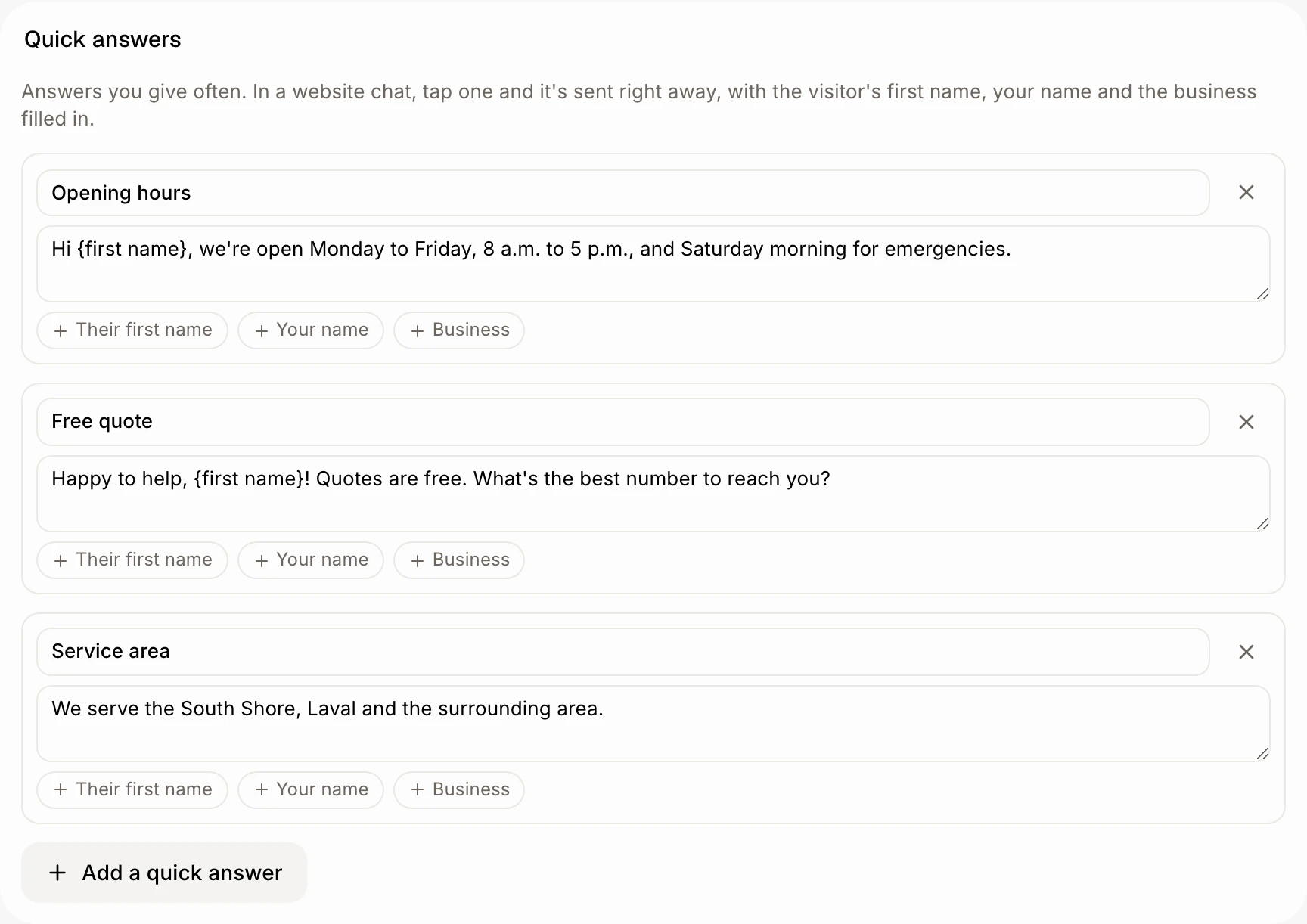
Step 2: Send it in a chat
Open a website chat in Conversations. Above Write to the visitor…, each quick answer has its own button. Click one: the answer goes into the reply box, after anything you already typed. Read it, change it if you like, then click the send arrow. Hover a button to read the full answer first.
{first name}, {my name} and {business} are filled in when the answer goes, so you see them as tags in the box.
Click: Conversations › the chat › your quick answer › send

Good to know
No first name yet? If the visitor hasn't left a name, "Hi {first name}," reads "Hi,".
No name? Leave Name empty and Alori uses the answer's first words.
Change or remove one right in Quick answers: edit its text, or click the × beside it.
Up to 20 quick answers. Each name is used once.
Shortcut from a chat. Click Edit after the buttons to go to Quick answers. With none yet, click Add quick answers.
Sending one takes over the chat, like any answer you write: the bot stops answering that visitor until you give it back.
Ask Alori works too. Say "add a quick answer for our opening hours" and it saves it for you.
If it doesn't work
No buttons above the reply box. Your team has no quick answers yet, and your role can't add them. Ask the owner.
Can't edit Quick answers. Your role can only view Front desk. Ask the owner.