How do I tell Alori how my business works?
In your CRM, open Settings › Company memory and click Add a fact. Alori, Ask Alori and the bot use it right away.
Open Settings › Company memory in your CRM and click Add a fact. Write one short fact, like your hours or a policy, and click Save. Alori, Ask Alori and your bot use it in their next answer.
Also called: company memory, what Alori knows, knowledge base, business facts, mémoire de l'entreprise, ce qu'Alori sait
Step 1: Open Company memory
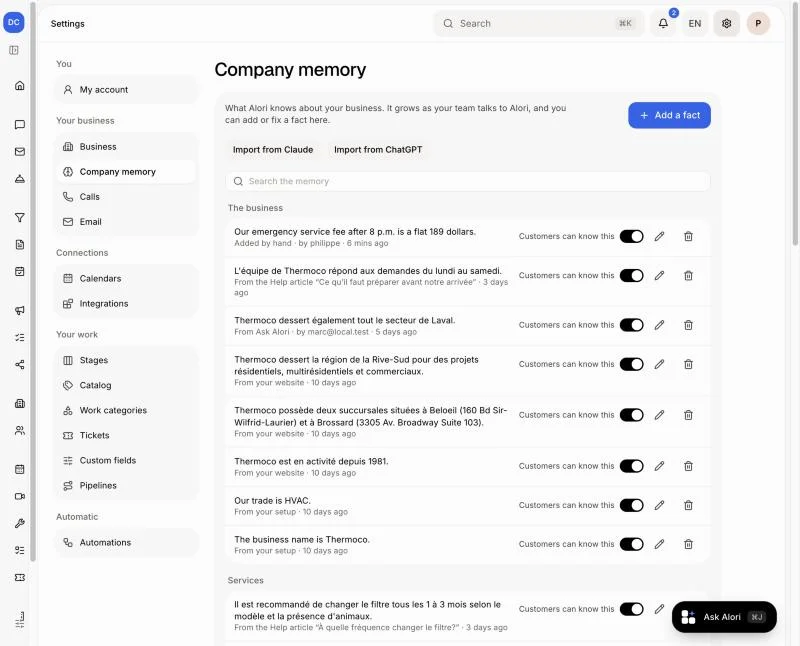
In your CRM, click Settings, then Company memory under Your business. You see everything Alori knows about your business, sorted by topic. Each fact says where it came from, like From your website or Added by hand. Facts also come in on their own: when someone on your team tells Ask Alori something about how you work, Alori remembers it.
Click: Settings › Company memory
Step 2: Add a fact
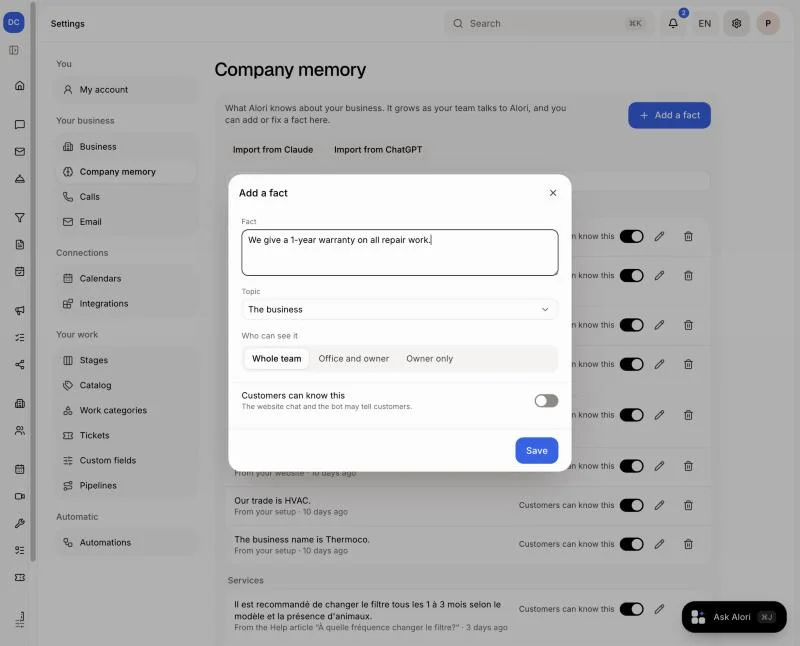
Click Add a fact. Write one short sentence, like "We give a 1-year warranty on all repair work." Pick a Topic. Under Who can see it, choose Whole team, Office and owner or Owner only. Turn on Customers can know this if the website chat and the bot may tell customers. Then click Save.
Click: Add a fact › Save
Step 3: Change or remove a fact
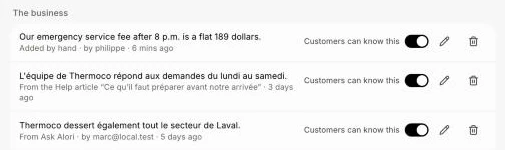
Click the pencil to change a fact, or the bin to remove it. The switch Customers can know this on each fact turns it on or off for customers. Type in Search the memory to find a fact.
Click: the pencil › Save
Step 4: Import from Claude or ChatGPT
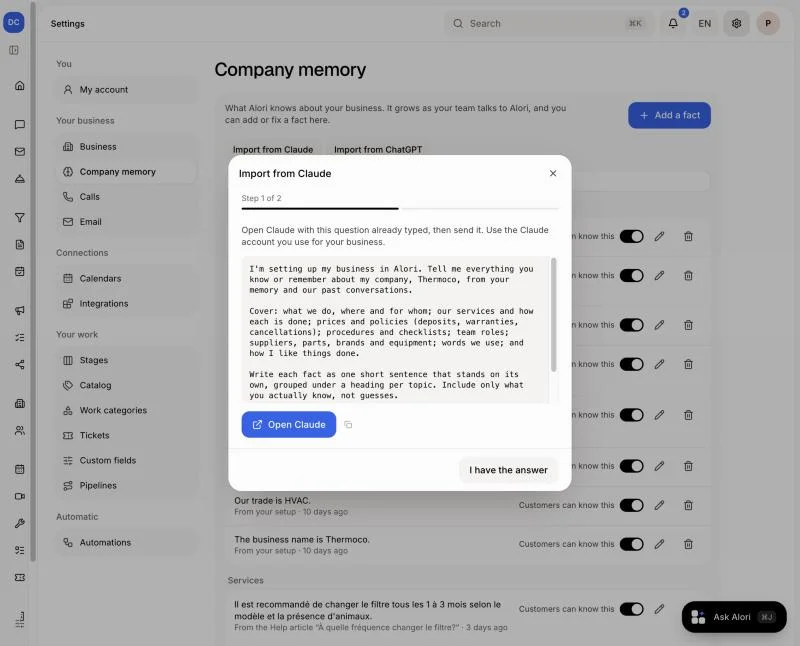
Already use Claude or ChatGPT for your business? Click Import from Claude (or Import from ChatGPT), then Open Claude: the question is already written. Send it, copy the whole answer, click I have the answer, paste it and click Add to memory. The new facts show up in a minute or two.
Click: Import from Claude › Open Claude › I have the answer › Add to memory
Good to know
Admins can always open Company memory. To let a role open it, go to Users › Roles and turn on Change the company memory (what Alori knows).
Someone who isn't an admin sees and changes only facts they are allowed to read.
Only admins see Import from Claude and Import from ChatGPT.
You can also ask Ask Alori or Claude: "Remember that we close at 4 on Fridays."
Company memory on alori.dev opens this page once your app is up to date. Until then it stays on alori.dev.
If it doesn't work
"Passwords and codes are never kept in the memory." Alori never keeps passwords, door or alarm codes, or card numbers. Leave them out.
"Alori already knows that." The fact is already there. Search for it and change it instead.
"Keep it under 400 characters." Split it into two facts.
I don't see Company memory in Settings. Ask an admin to turn it on for your role.