What do my clients see when they pay?
With White label on, your clients pay on a page with your name and logo. Add your bank and the charge, receipt and card statement are in your name too.
If you run an agency with White label on, your clients pay on a page that shows your name and logo, not Alori's. Once you add your bank, the charge itself is made in your name: their receipt, their invoices and their card statement show your brand.
Also called: payment page, checkout, branded checkout, receipt, card statement, Stripe Connect, page de paiement, reçu, relevé de carte, marque blanche
Step 1: Turn on White label and add your bank
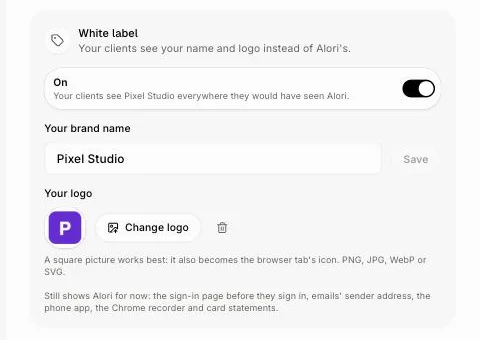
In Agency › Settings, turn on White label, type Your brand name and add Your logo. Use a PNG or JPG, at least 128 pixels wide: the payment page can't show a WebP logo, so it shows your name alone.
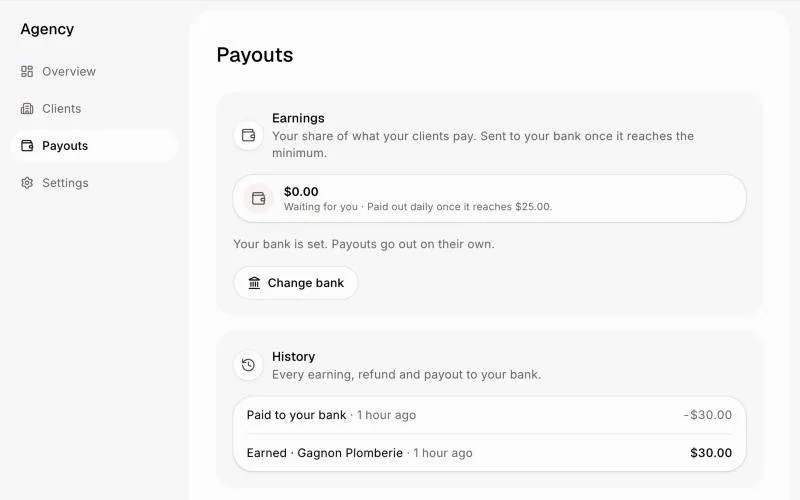
Then, on Payouts, click Add your bank and fill in Stripe's short form. Your name and logo go on the payment page right away. Once Stripe approves your bank for card payments, which can take a few minutes, every charge is made in your name.
Click: Agency › Settings › White label, then Payouts › Add your bank
Step 2: What your client sees
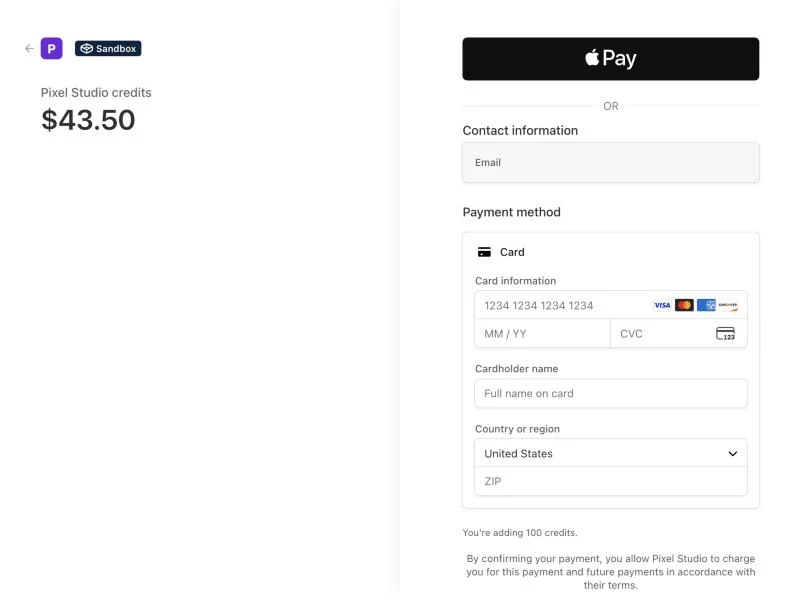
When a client clicks Add credits or picks a plan on their Billing page, the payment page shows your logo and name at the top, and "<your name> credits" for credit packs. The price includes your markup. The line under the button says they allow your brand to charge them.
Once your bank is approved, their receipt, their invoices and the billing page where they change their card show your brand, and their card statement shows your name (letters and numbers only, up to 22 characters). Plans and auto top-up move to your name on their own, with nothing for your clients to do.
Alori still takes the payment and pays out your share on Payouts, the same as before.
Click: Billing › Add credits (your client's account)
If it doesn't work
The page shows Alori's name: White label is off, or Your brand name is empty. Turn it on in Agency › Settings.
The page shows my name but no logo: your logo is a WebP or another type. Upload it again as a PNG or JPG.
The card statement still shows Alori: your bank isn't approved for card payments yet. Open Payouts and finish what Stripe asks for.
A plan's name says Alori: plans still show Alori's plan names (Pro, Business) on the payment page and invoices for now.