How do I unsubscribe from an email list?
Open the newsletter on your Email page and click Unsubscribe. Alori takes you off the list and archives the email.
Open the newsletter on your Email page and click Unsubscribe in the bar above it. Alori takes you off the list for you and archives the email. You don't have to open the sender's site.
Also called: unsubscribe, stop emails, opt out, newsletter, marketing emails, spam, se désabonner, me désabonner, désinscrire, liste d'envoi, infolettre
Step 1: Open the newsletter
Click Email in the left menu, then click the email you no longer want. When it comes from a mailing list, a bar shows above it: A mailing list. Want Alori to unsubscribe you?
Click: Email › the email
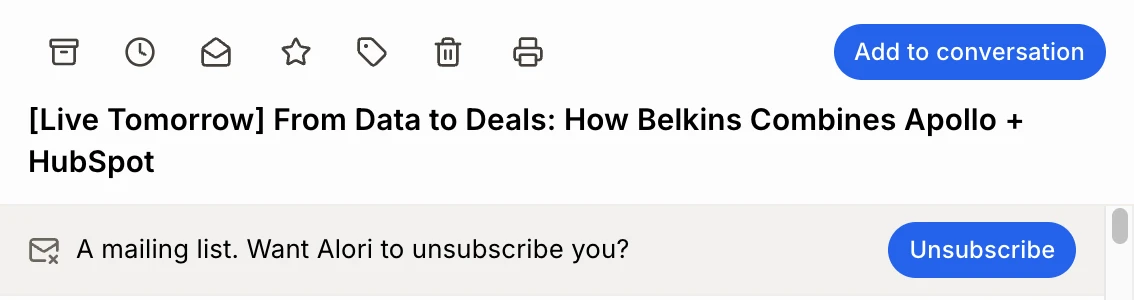
Step 2: Click Unsubscribe
Click Unsubscribe. Alori takes you off the list and archives the email. You see Unsubscribed from… Archived. Want the email back in your inbox? Click Undo in that message. You stay unsubscribed.
Click: Unsubscribe

Some senders want you on their page
A few senders only let you leave from their own site. Alori then says …wants you to finish on their page. Click Open it and finish there. When Alori already knows this, Unsubscribe opens their page right away.
Good to know
It works like Gmail's own Unsubscribe. Alori uses the link or address the sender put in the email for this.
Sometimes Alori sends a short "Unsubscribe" email from your Gmail to the sender. You may see it in Sent.
Senders can take a few days to stop.
You can ask Ask Alori "unsubscribe me from these newsletters". It does each one and archives them.
If it doesn't work
"Alori couldn't unsubscribe you. Try their own link in the email." The sender didn't answer. Click the unsubscribe link at the bottom of the email.
No bar above the email. The email isn't from a mailing list, or you sent it.
"Your email didn't load." Try again in a moment.