How do I give my clients my own sign-in address?
Agencies can connect their own domain, like app.youragency.com, so clients sign in there and see your brand from the first page.
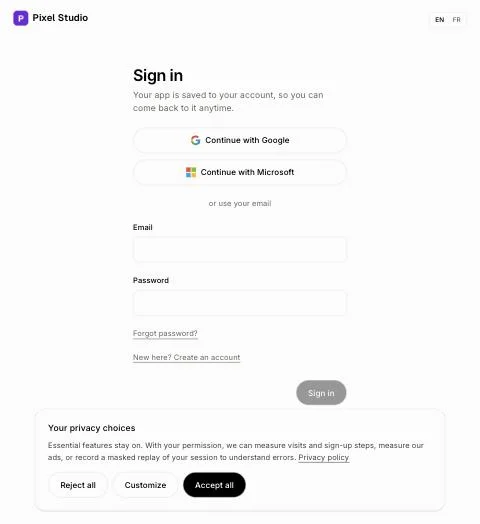
If you run an agency, connect your own domain, like app.youragency.com. Your clients sign in there, and every page shows your name and logo, the sign-in page included. Only the agency's owner can connect it. It's free on every plan.
Also called: agency domain, white label domain, custom sign-in, own address, branded login, domaine d'agence, adresse de connexion, marque blanche
Step 1: Choose the address
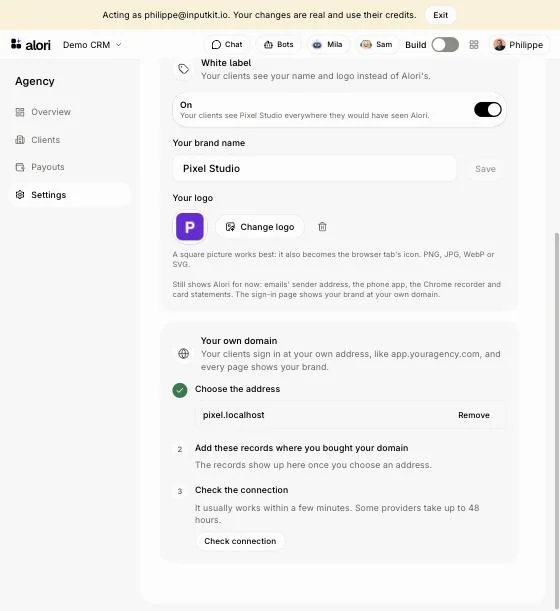
Open Agency › Settings. Under Your own domain, type the address, like app.youragency.com, and click Connect. Use a subdomain so your website stays as it is.
Step 2: Add the records
Alori shows one or two records. Open the DNS page where you bought your domain (GoDaddy, Namecheap, Cloudflare…) and add each line as shown. Keep any TXT records already there.
Step 3: Check the connection
Click Check connection. It usually works within a few minutes; some providers take up to 48 hours. Once it says Connected, send your clients to your address: they sign in there and see your brand.
Good to know
Turn on White label in the same Settings page, so your name and logo show. With it off, your address shows Alori's look.
Your team signs in there too, and still sees every client account.
To stop using it, click Remove next to the address.
Links in emails (invitations, password resets) still open on alori.dev for now.