How do I choose and reorder what's in my menu?
Click Customize menu at the bottom of the left menu. Untick what you don't use and drag sections and pages into your order. Only your menu changes.
Click Customize menu at the bottom of the left menu. Untick the sections and pages you don't use, and drag the rest into the order you work in. Each change saves right away, and only your menu changes: your teammates keep theirs.
Also called: sidebar, left menu, navigation, hide a page, reorder menu, personnaliser le menu, menu de gauche, barre latérale
Step 1: Open the editor
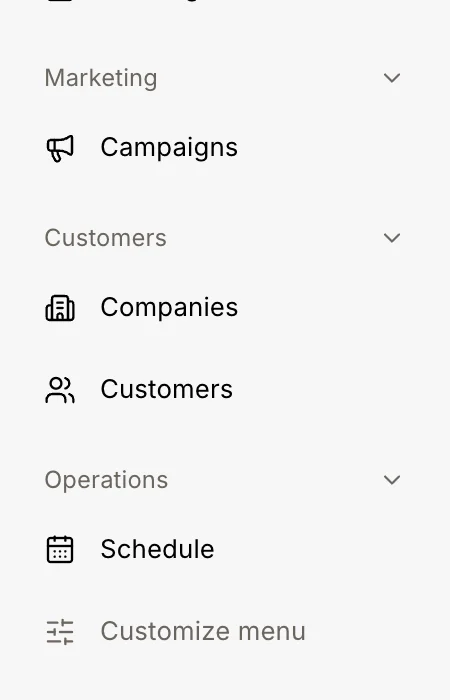
Click Customize menu at the very bottom of the left menu. Each section becomes a card, with its pages inside and a box beside each one.
Click: Customize menu
Step 2: Hide what you don't use
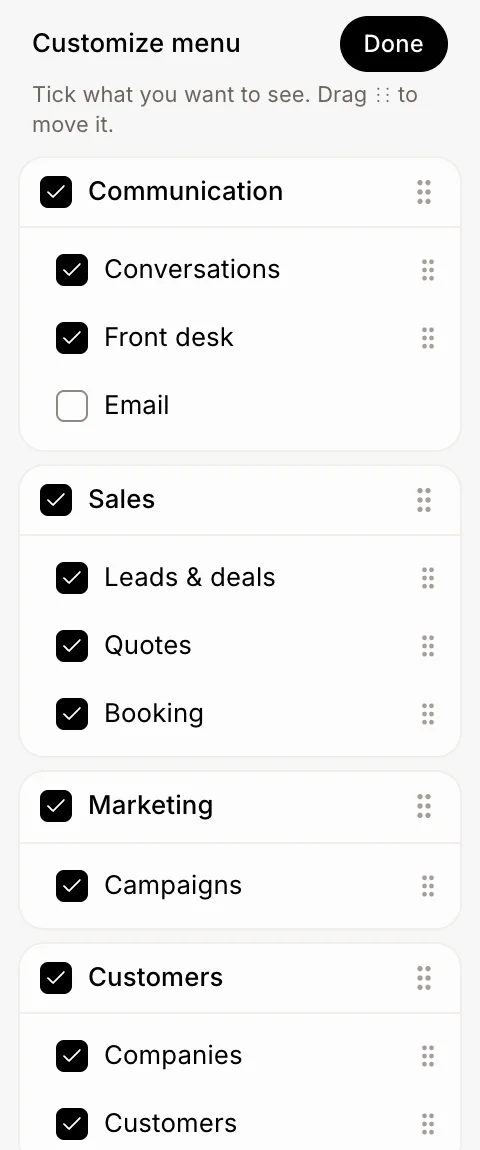
Untick a page to hide it, like Email. Untick a section's title to hide the whole section. Tick it again to bring it back.
Click: Email
Step 3: Put things in your order
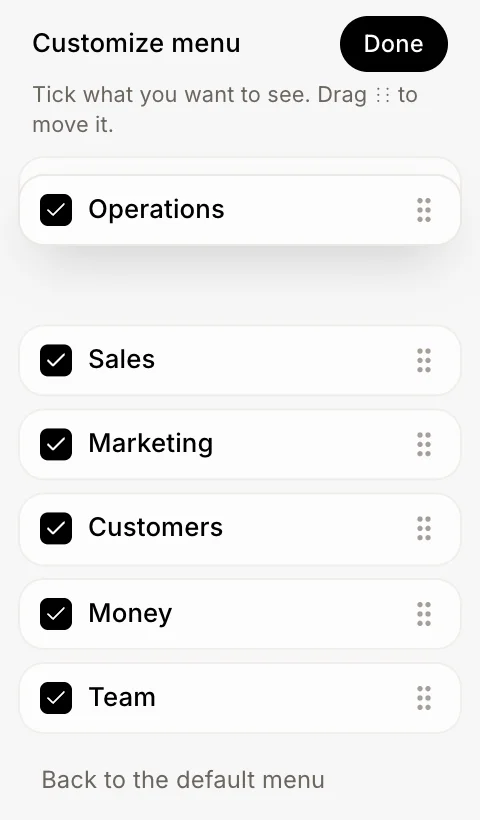
Drag the dots (⋮⋮) on the right of a section's title to move the whole section: while it moves, every card folds down to its title, so it's quick to drop in place. Drag the dots beside a page to move it inside its card. On a keyboard, hold Alt and press the up or down arrow.
Step 4: Click Done
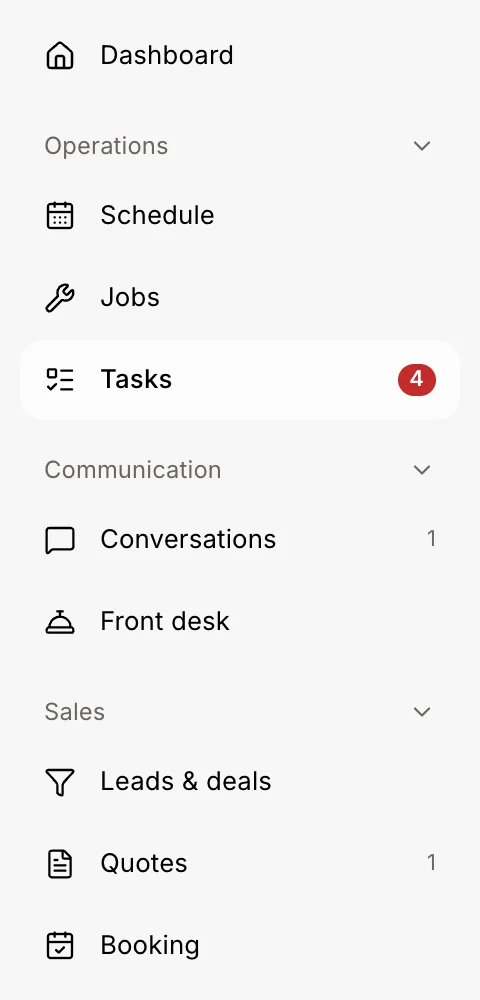
Click Done. Your menu now shows only what you kept, in your order.
Click: Done
Good to know
Your menu is saved to your account, so it's the same on your computer and your phone.
On a phone, tap More, then Customize menu. Pages you hide also leave the tabs at the bottom.
A hidden page still works when you open it from a link.
You can also ask Alori: "Hide Marketing from my menu" or "Put Tasks at the top". It shows Undo if you change your mind.
A page stays in its own section: drag the section, or the page inside its card.
Click Back to the default menu at the bottom of the editor to start over.
If it doesn't work
I don't see a page in the editor. Your role can't open it, or your app doesn't have that module. Ask the owner.
My menu went back to how it was. You may have clicked Back to the default menu. Set it up again; it saves as you go.